User Manager
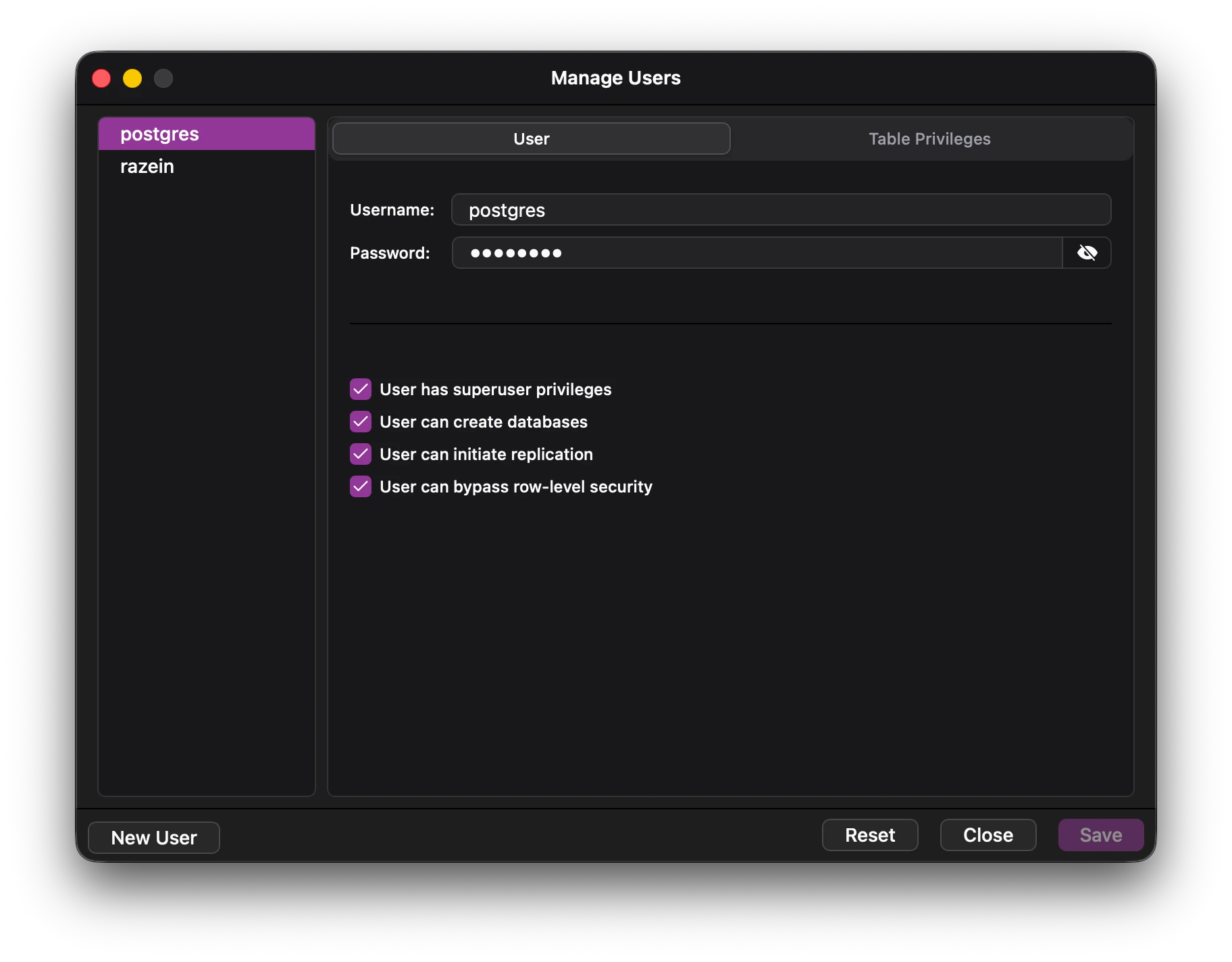 The user manager window consists of the following components:
- User selector on the left side.
- Options for granting and changing permissions on the right side.
- The bottom button area, which houses user creation and confirmation.
User management tab
The user management tab has the following options:
- Username
- Password
- User privileges
All the options can be changed by selecting the user.
Table management tab
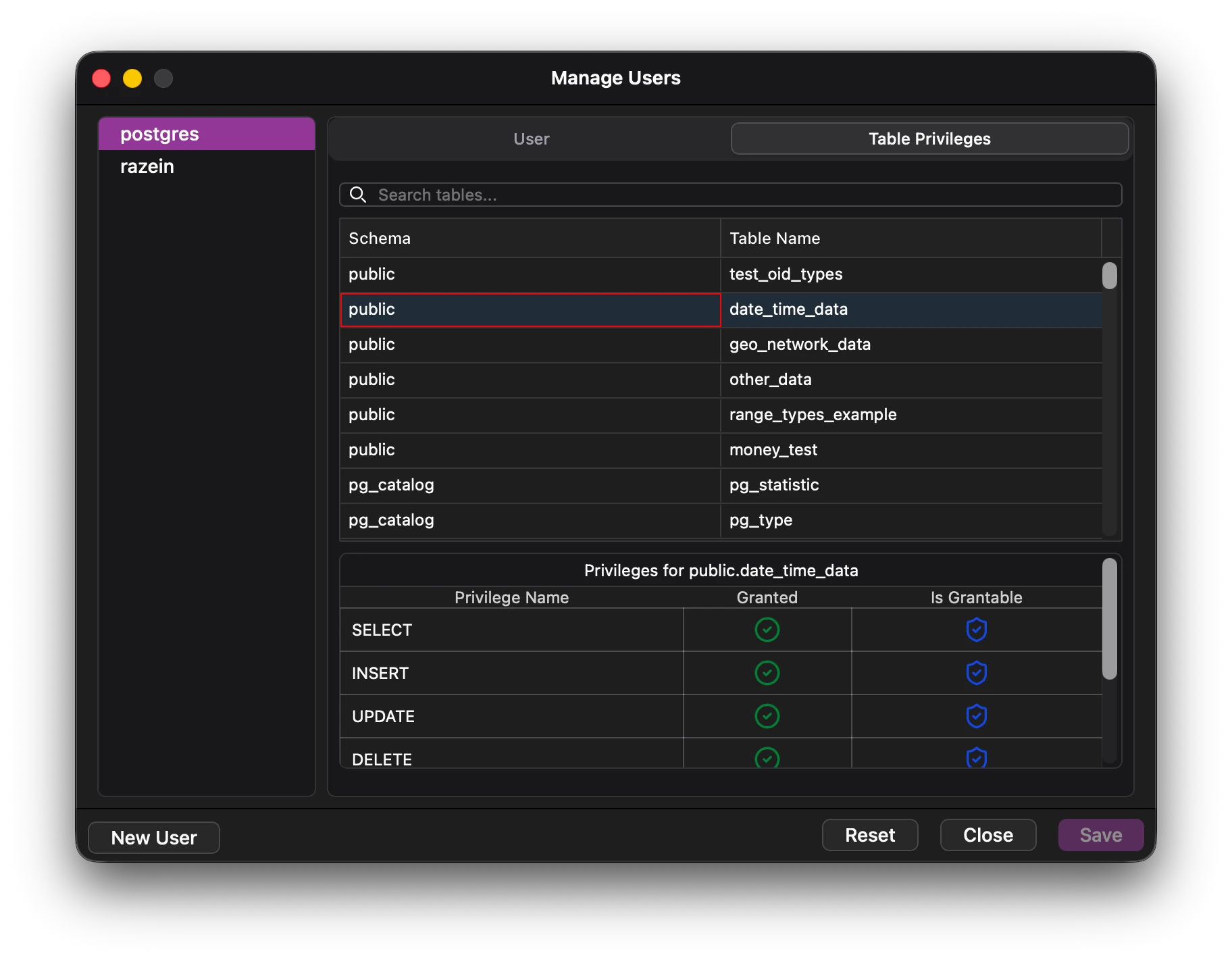 The table management tab has the following options;
- A view showing all the tables along with their schema.
- A view showing the table privileges.
Note: Table privileges are only populated after a table is selected.
Edit the selected privileges and save for the database to take reflect the changes.